![unyte-teal.png]](https://support.unyte.com/hs-fs/hubfs/unyte-teal.png?width=100&height=100&name=unyte-teal.png)
The new Unyte Academy interface provides a cleaner, modern, and distraction-free learning environment to access your courses through Unyte Academy.
Sign in at my.unyte.com and select Academy (from the left menu) and Access your training.
What’s Changed
- Simplified Full-Screen View: Your courses now open in an improved player to maximize screen space.
- Search, Filters & Sorting: Use the new search bar at the top of your screen to find content quickly, or filter your courses using new categorization and sorting options.
- Profile Menu: See your learning progress or access certifications for completed courses. Head to the My progress tab by hovering over your name in the top-right corner of the screen.
New Search, Sorting & Filtering
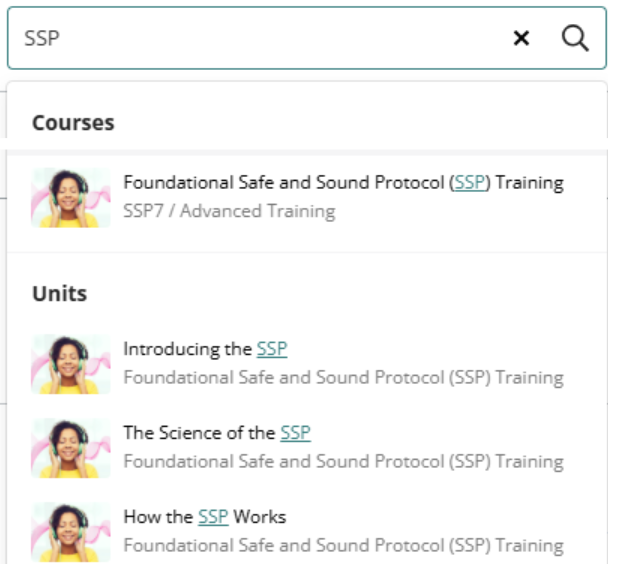
- Search Bar: Use the new search bar at the top of the screen to quickly find the courses you are looking for, or even specific units within your courses.
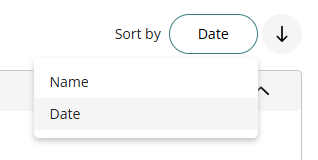
- Sort by Name or Date: Click the sorting drop-down menu at the top of your course list to organize modules alphabetically by Name or by Date (last updated/accessed).
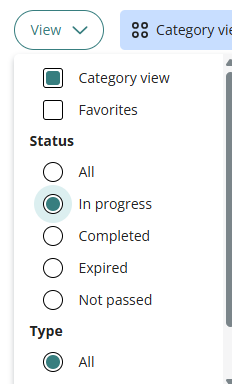
- Course Filtering: Toggle on View dropdown on the left-hand side to organize your dashboard, such as by Category or completion Status.
How To Find Your Certificates
All completed course certifications are stored within your central progress dashboard and do not require re-navigating through completed course structures:
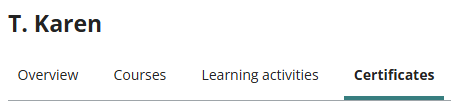
- Hover over your name in the top-right corner.and select My progress from the drop-down menu
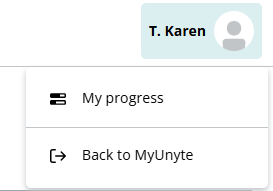
- Select the Certificates tab to preview or download your earned certificates.
Managing Your Progress
- Automatic Progress Retention:
All of your course completion history, active enrollments, and unit progress will be unaffected with this update. You will automatically resume from the exact unit where you left off. - Unit Progress Tracking:
In sequential courses, completed modules will show a checkmark, and the Next button will automatically unlock the subsequent unit once the requirements are met.